

Fill out my online form.
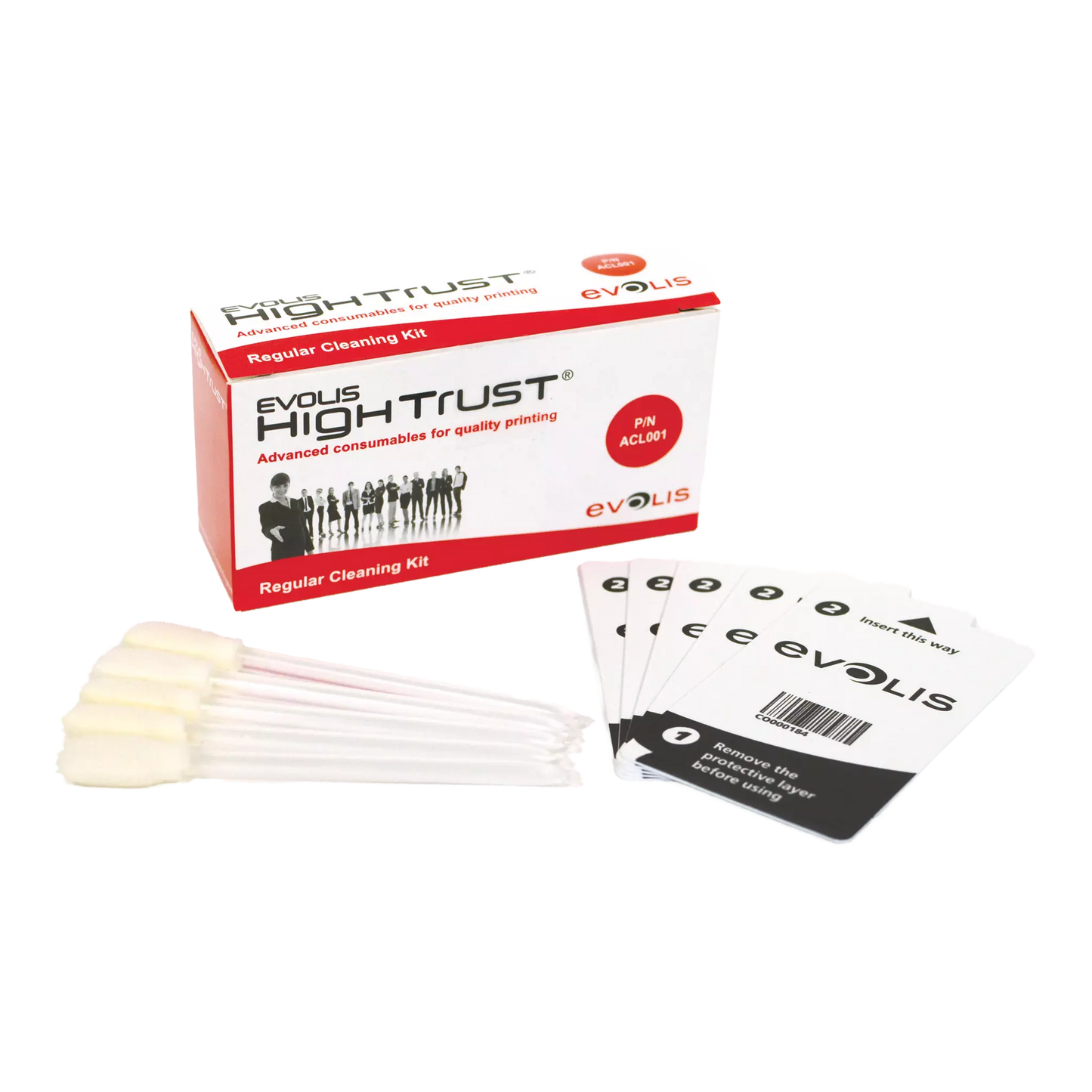
Evolis ACL001 Regular Cleaning Kit for Evolis Zenius and Primacy Card Printers
Evolis ACL001 Regular Cleaning Kit for Evolis Zenius and Primacy Card Printers
IN STOCK
$0.00 each
Volume Pricing Availale
Save up to 0%
Current Discount: 0%
Next: -
| Quantity | Discount |
|---|
Product Specifications
Product Specifications
-
Part number: ACL001
- 5 Complete Cleaning Cycles: Kit includes 5 adhesive cleaning cards and 5 cleaning swabs for routine printer maintenance.
- Protects Print Quality: Removes dust and debris from cleaning rollers and printhead to prevent streaks, spots, and blurry prints.
- Maintains Warranty Coverage: Genuine Evolis High Trust supplies meet manufacturer requirements to keep your printhead warranty valid.
- Works With Zenius, Primacy, and Edikio: Compatible with Evolis Zenius, Primacy, Primacy 2, Elypso, Edikio Flex, and Edikio Duplex printers.
Total Price:
$0.00
Description
🧹 CLEANING SUPPLIES
Evolis ACL001 Regular Cleaning Kit
Keep your ID card printer running like new. Dust and debris build up inside every card printer over time, causing print defects and shortening printhead life. This genuine Evolis cleaning kit gives you everything you need for routine maintenance that protects your investment and keeps your cards looking sharp.
Manufacturer SKU: ACL001 This regular cleaning kit includes five adhesive cleaning cards and five cleaning swabs, giving you the tools to perform five complete cleaning cycles. Use the adhesive cards to remove dust from the cleaning rollers and the swabs to clean your printhead. Evolis recommends cleaning your printer every time you change the ribbon to maintain optimal print quality and keep your warranty intact.
Why You'll Love This Cleaning Kit
- Protect Your Print Quality: Dust particles cause white spots, streaks, and blurry prints. Regular cleaning removes debris before it reaches your cards, so every badge comes out crisp and professional.
- Extend Printhead Life: Dirt and residue on the printhead cause premature wear. Cleaning with the included swabs removes buildup and helps your printhead last longer.
- Keep Your Warranty Valid: Evolis requires regular cleaning to maintain your printhead warranty. This kit helps you stay compliant and keeps your coverage intact.
- Five Complete Cleanings: Each kit contains five adhesive cards and five swabs, so you can perform routine maintenance multiple times before reordering.
- Genuine Evolis High Trust Quality: Designed and tested by Evolis engineers to work perfectly with their printers. Third-party cleaning supplies can leave residue or damage sensitive components.
- Quick and Simple Process: The entire cleaning cycle takes just a few minutes. Run the adhesive card through the printer, swab the printhead, and you are done.
Compatible Printers
- Evolis Zenius: Entry-level single-sided printer for low-volume ID card production.
- Evolis Primacy: High-performance printer for medium to large volume card printing.
- Evolis Primacy 2: Latest generation Primacy with touchscreen and rewrite capability.
- Evolis Primacy 2 LE: Lamination-ready version of the Primacy 2 for added card durability.
- Evolis Elypso: Mid-range printer with versatile encoding options.
- Evolis Edikio Flex: Single-sided price tag and label printer for hospitality and retail.
- Evolis Edikio Duplex: Double-sided price tag printer for high-volume retail applications.
How to Use This Cleaning Kit
1
Open Evolis Print Center
Launch the Evolis Print Center software on your computer. Right-click your printer and select Properties, then navigate to the Cleaning tab.
2
Start the Cleaning Wizard
Click Proceed with Cleaning, then select Start Cleaning. The wizard will guide you through each step and tell you when to insert cleaning materials.
3
Remove the Ribbon
Open your printer and remove the ribbon cassette. Set the card thickness gauge to MAX to accommodate the thicker cleaning card.
4
Run the Adhesive Card
Remove the protective film from the adhesive card. Insert it into the feeder with the sticky side facing up. The printer automatically runs it through to clean the rollers.
5
Clean the Printhead
Open the printer cover to access the printhead. Gently wipe the printhead from side to side using the cleaning swab. Use one direction only and avoid scrubbing.
6
Reassemble and Print
Return the card thickness gauge to your normal setting, reinstall the ribbon, and close the printer. Your next prints will be crisp and streak-free.
Specifications
| Manufacturer SKU | ACL001 |
| Kit Type | Regular Cleaning Kit |
| Adhesive Cards | 5 cards |
| Cleaning Swabs | 5 swabs |
| Cleaning Cycles | 5 complete cleanings |
| Cleaning Frequency | Every ribbon change or 1,000 cards |
| Warranty Requirement | Clean within every 1,200 cards |
| Shelf Life | Up to 1 year (proper storage) |
| Storage | Cool, dry location |
| Manufacturer | Evolis (High Trust) |
When to Clean Your Printer
- Every Ribbon Change: Evolis recommends cleaning each time you replace the ribbon to maintain consistent quality.
- Every 1,000 Cards: Your printer tracks card count and displays a cleaning reminder when maintenance is due.
- Before a Large Print Run: Clean before printing a batch of important cards to ensure every badge looks its best.
- When You See Print Defects: White spots, streaks, or blurry areas often indicate debris in the card path.
- After Extended Storage: If your printer has been idle, run a cleaning cycle before resuming printing.
- When the LED Indicator Lights: Your printer displays a cleaning notification when maintenance is required.
Frequently Asked Questions
How often should I clean my Evolis printer?
Evolis recommends cleaning your printer every time you change the ribbon. The printer also tracks your card count and displays a cleaning notification approximately every 1,000 cards. To maintain your printhead warranty, you must clean the printer within every 1,200 cards printed.
What happens if I do not clean my printer regularly?
Skipping regular cleaning leads to dust accumulation on the cleaning rollers and printhead. This causes print defects like white spots, streaks, and blurry images. Over time, debris buildup can also damage the printhead and shorten its lifespan. Additionally, if you print more than 1,200 cards without cleaning, your Evolis printhead warranty becomes void.
What is the difference between the ACL001 and ACL002 cleaning kits?
The ACL001 is the regular cleaning kit for routine maintenance, containing adhesive cards and swabs. The ACL002 Advanced Cleaning Kit includes additional components like T-cards, cleaning wipes, and a printhead pen for more thorough deep cleaning. Use ACL001 for standard ribbon-change cleanings and ACL002 periodically for comprehensive maintenance.
How do I use the adhesive cleaning cards?
Remove the ribbon from your printer and set the card thickness gauge to MAX. Peel the protective film from the adhesive card, then insert it into the card feeder with the sticky side facing up. The printer automatically runs the card through multiple times, collecting dust and debris from the cleaning rollers. When the card ejects, discard it and repeat if needed.
How do I clean the printhead with the swabs?
Turn off the printer and open the top cover to access the printhead. The printhead is the thin strip located above where the cards pass through. Gently wipe the printhead from one side to the other using the cleaning swab. Move in one direction only and avoid scrubbing back and forth. Let the printhead dry completely before closing the cover and resuming printing.
Will this cleaning kit void my warranty if I use it?
No, using genuine Evolis cleaning supplies actually protects your warranty. Evolis requires regular cleaning with approved products to maintain printhead coverage. Third-party cleaning materials may leave residue or damage components, which could void your warranty.
How long does a cleaning cycle take?
A complete cleaning cycle takes approximately five minutes. The adhesive card runs through the printer automatically in about 20 seconds, and wiping the printhead with a swab takes just a minute or two. The entire process is quick and simple enough to perform each time you change your ribbon.
How should I store unused cleaning supplies?
Store the cleaning kit in a cool, dry location away from direct sunlight and extreme temperatures. Keep the adhesive cards in their original packaging until ready to use. When stored properly, the supplies have a shelf life of up to one year. Using expired cleaning materials may result in reduced effectiveness.
Can I reuse the adhesive cleaning cards?
No, adhesive cleaning cards are designed for single use only. Once the card passes through the printer, the adhesive surface is covered with collected dust and debris. Using it again would simply redeposit that debris back onto your rollers. Discard each card after use.
Where can I get help if I have questions about cleaning my printer?
Our team is here to help with any questions about printer maintenance. Call us at 1-800-380-6726 or contact us online. We can walk you through the cleaning process and help you determine if you need additional supplies or service.
Questions About Printer Maintenance?
Our ID card specialists can help you establish a cleaning schedule and find the right supplies for your printer. Call 1-800-380-6726 or contact us online for expert assistance.